Your complete teaching toolkit, with Teacher Companion AI

Choose the Pro level that suits how you teach. Full TGM Pro unlocks everything, including Teacher Companion AI lesson pack generation. TGM Pro Lite gives you the Pro classroom tools, widgets, games, planner features and bigger limits without the ongoing AI lesson generation.

Select your plan, then try it for 14 days completely obligation free. Cancel anytime.

โœ“ Classroom Display Hub โœ“ Teaching widgets โœ“ Planning and tracking

TGM Pro for quizzes, games, and Teacher Table Talk

Choose your plan

Full Pro is selected by default.

Have a FREE trial code? Redeem here.

The Benefits of Pro Explained

Classroom Display Hub

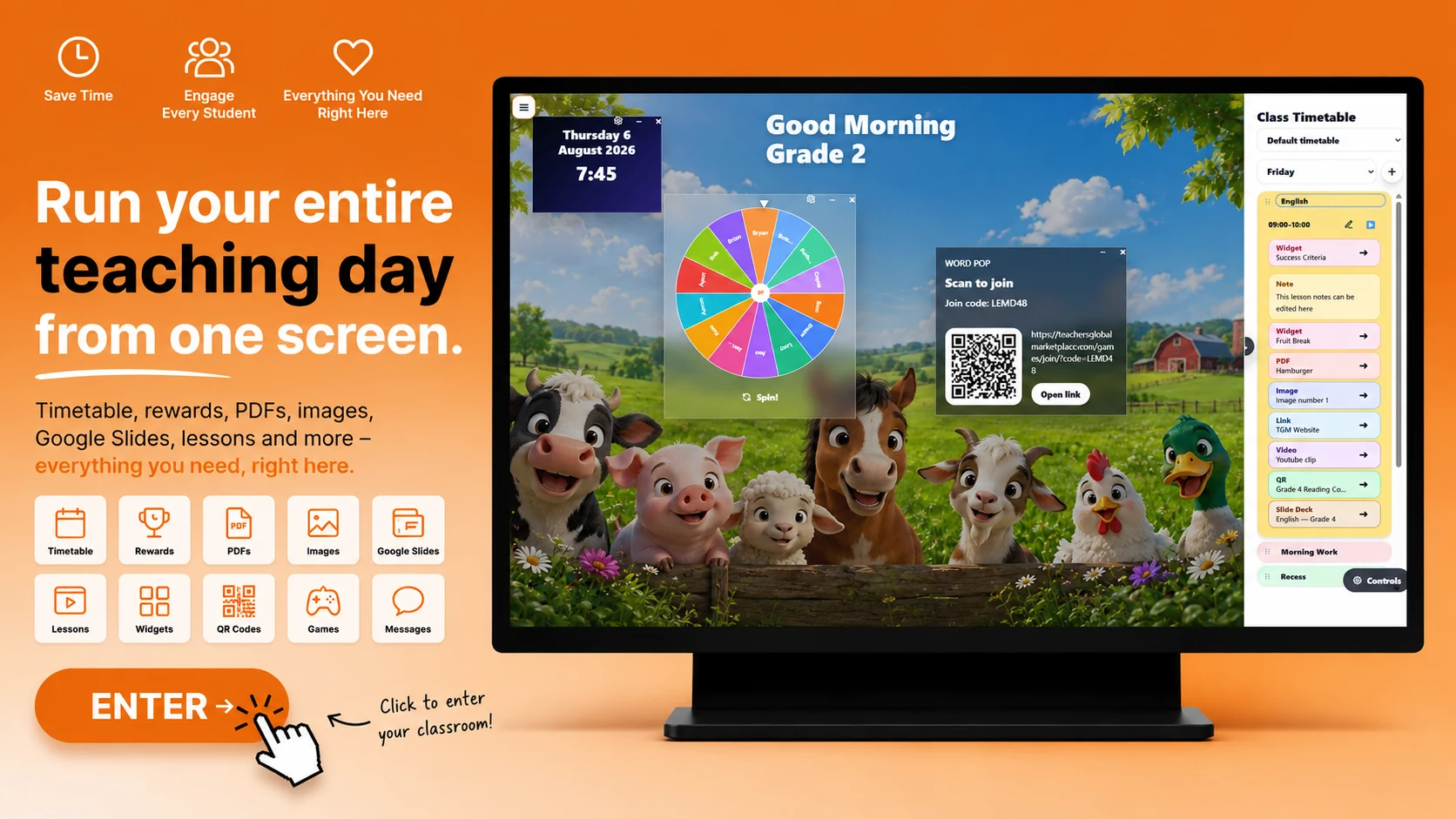
Run your whole teaching day from one organised classroom screen. The Classroom Display Hub brings together your Class Timetable, lesson sequence, teaching resources and classroom tools so everything is ready when you need it.

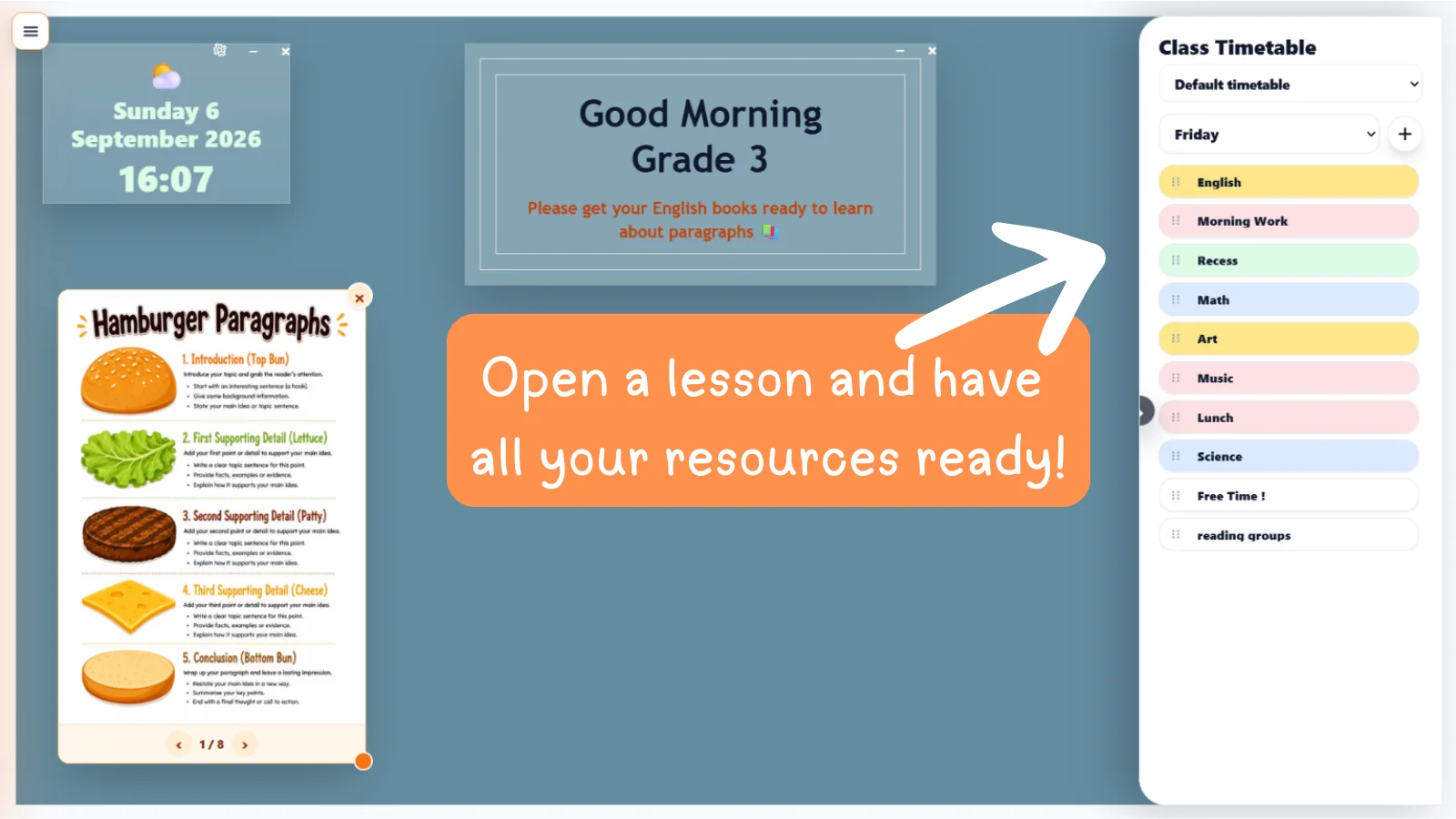
Build lessons in timetable order and add the resources you plan to use, including widgets, PDFs, images, QR codes, links, videos and Lesson Companion AI slide decks. Launch each item directly from the timetable while you teach.

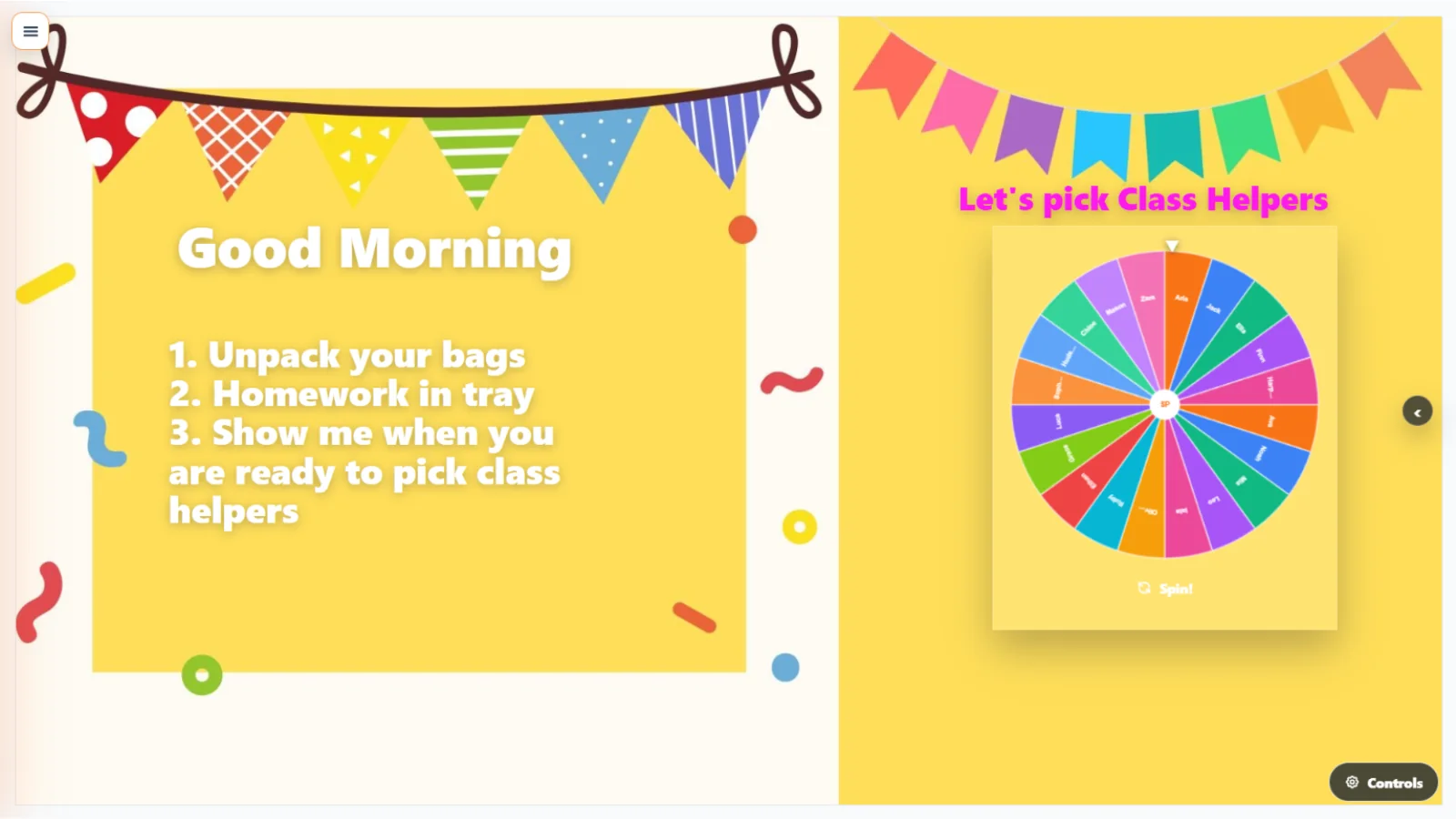
Keep one display background for your day or choose a different saved background for individual lessons and subjects. You can also organise dated timetable weeks, copy an earlier week and add special days when needed.

Add movable and resizable classroom widgets, notes, images and teaching tools over your display. It works on interactive whiteboards, projectors, TVs and classroom screens.

+ Why upgrade to TGM Pro?

Free

  • โœ“ Up to three complete Classroom Displays
  • โœ“ A choice of free display backgrounds
  • โœ“ One default Class Timetable with lessons and ordered lesson flow
  • โœ“ Add free widgets, notes, text and images to your display
  • โœ“ Works on classroom screens, projectors and interactive whiteboards

TGM Pro

  • ๐ŸŽ‰ Try it FREE โ€” 14 Day Trial. One click cancellation.
  • โ˜… Create unlimited Classroom Displays
  • โ˜… Use Google Slides as live backgrounds and create your own custom backgrounds
  • โ˜… Access every Free and Pro background, widget and new addition
  • โ˜… Create multiple timetable weeks, copy previous weeks and add special days
  • โ˜… Choose optional lesson-specific display backgrounds
  • โ˜… Add PDFs, images, QR codes, links, videos and slide decks to lesson flow
  • โ˜… Launch Lesson Companion AI slide decks and unlimited game or quiz assignments

Teacher Companion AI

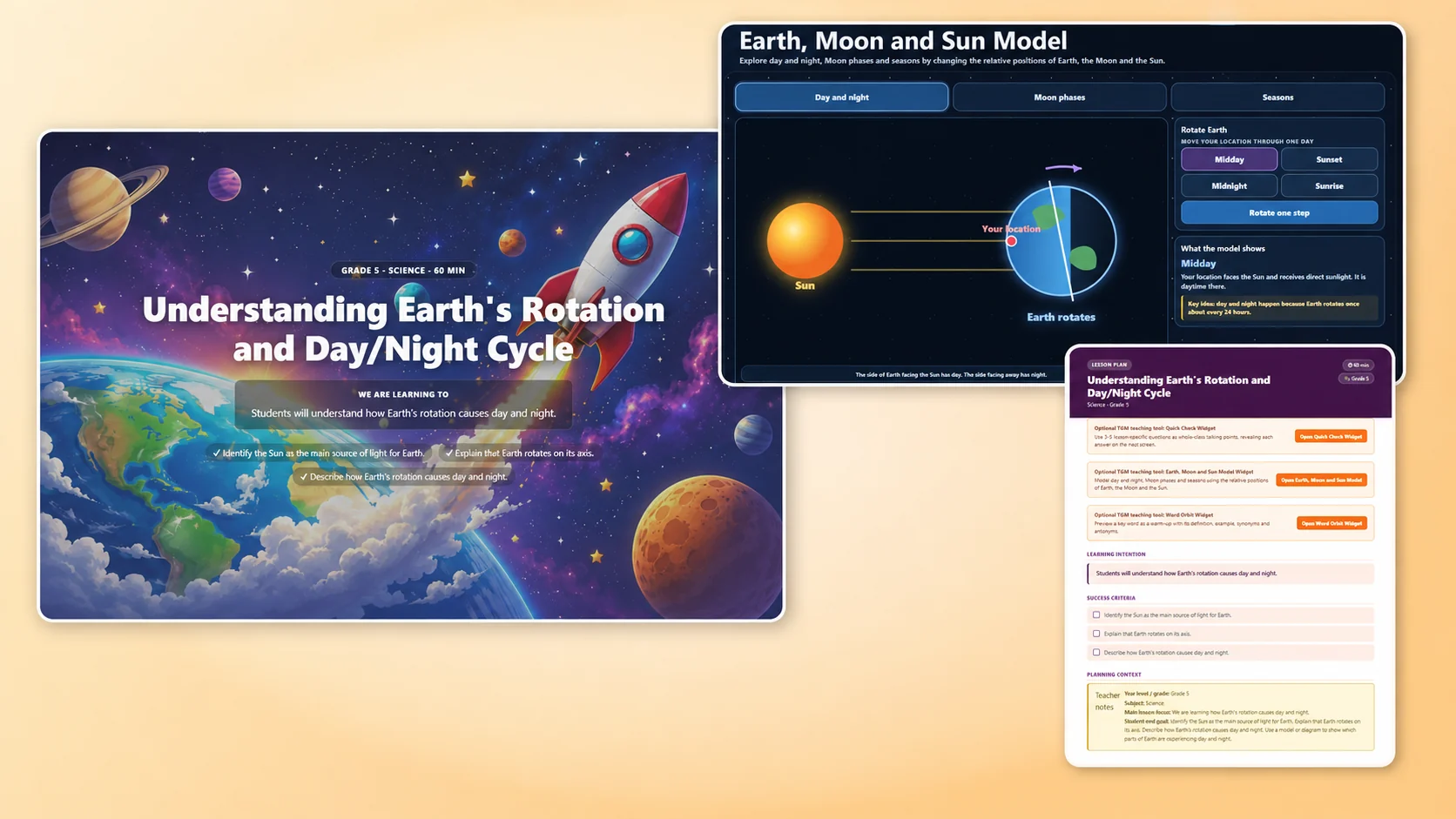
Upload a worksheet, image or PDF and turn the resource you already trust into a structured lesson workbook and classroom-ready slide deck.

Teacher Companion AI helps build the teaching around your resource, including lesson details, suggested videos and relevant interactive widgets where they support the learning.

Widgets

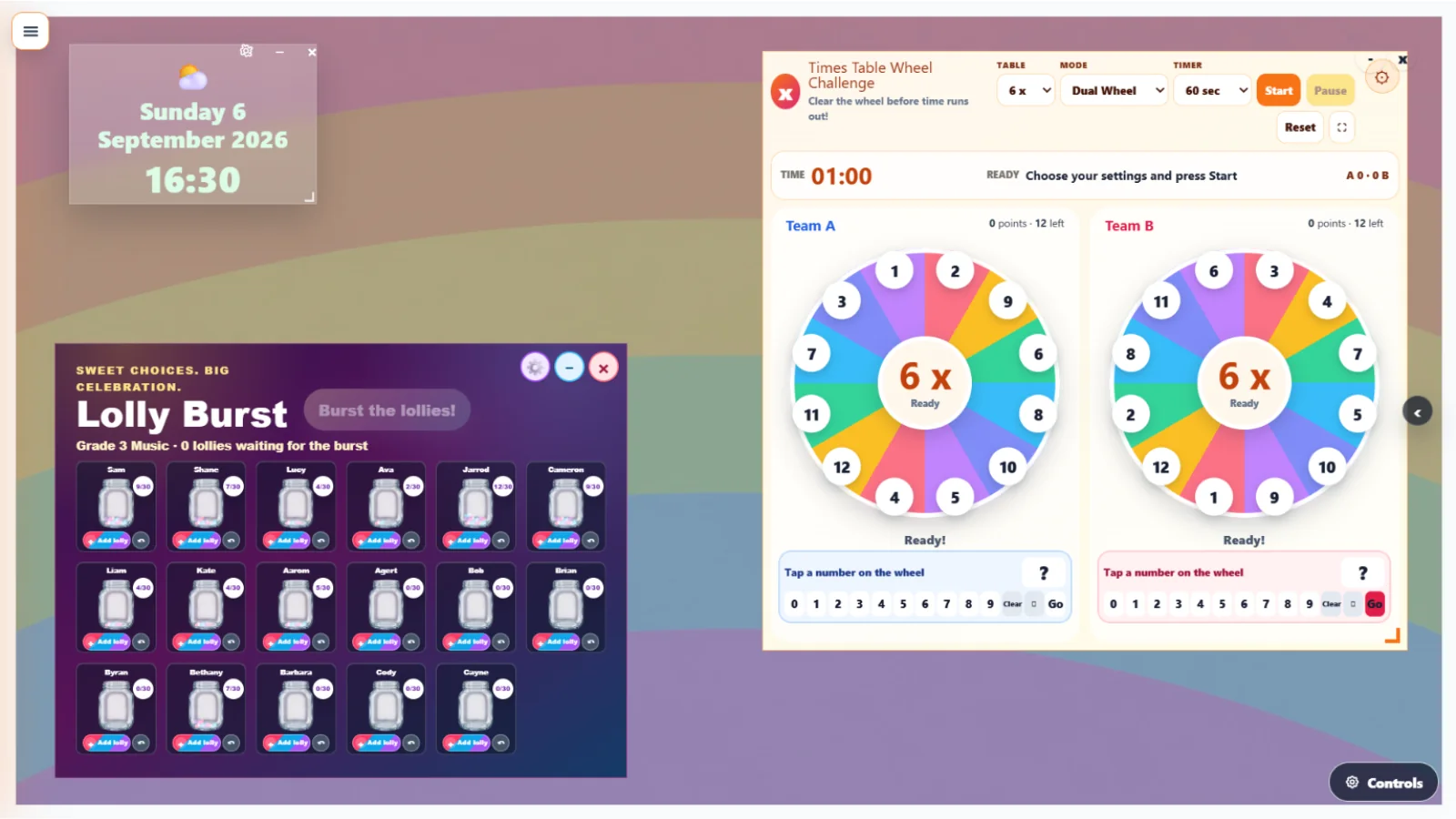
Bring your lessons to life with interactive teaching tools designed for everyday classroom use. Launch timers, student pickers, dice rollers, Number of the Day, Fraction of the Day, hundreds boards, shape explorers, noise meters, telling the time activities, success criteria displays and more. Use widgets directly on your Classroom Display or as standalone tools to keep students engaged and learning on track. When your Google Slides are on the classroom screen, add TGM widgets over the top to make your lesson slides interactive. Explore widgets across maths, literacy, classroom management, games, rewards, wellbeing and more.

+ Why upgrade to TGM Pro?

Free

  • โœ“ Access to free widgets including:
  • โ€“ Board Note
  • โ€“ Calendar, Clock & Weather
  • โ€“ I Can & Success Criteria
  • โ€“ Drawing Box
  • โ€“ Telling the Time
  • โ€“ Number of the Day
  • โ€“ Word Builder
  • โ€“ Alphabet Trace
  • โ€“ Sight Word Flipper
  • โ€“ Student Picker
  • โ€“ Pizza Timer
  • โ€“ Dice Roller
  • โ€“ Fast Finisher
  • โ€“ Addition & Subtraction Bingo
  • โœ“ Use widgets on your classroom display or standalone

TGM Pro

  • ๐ŸŽ‰ Try it FREE โ€” 14 Day Trial. One click cancellation.
  • โ˜… Full access to all widgets including all free widgets and all Pro widgets:
  • โ€“ Welcome Wall
  • โ€“ Handwriting & Worksheet Board
  • โ€“ Melting Ice Timer
  • โ€“ Hundreds Board
  • โ€“ Base Ten Blocks
  • โ€“ Fraction Lab
  • โ€“ Fraction of the Day
  • โ€“ Number Line Jumper
  • โ€“ Shape Explorer
  • โ€“ Sentence Expander
  • โ€“ Phonics Builder
  • โ€“ Word Orbit
  • โ€“ Word Grid Explorer
  • โ€“ Noise Traffic Light
  • โ€“ Group Builder
  • โ€“ Money Widget
  • โ€“ Phonics Bingo
  • โ€“ Multiplication Bingo
  • โ€“ Time Bingo
  • โ˜… Access to all widgets in standalone screens
  • โ˜… Early access to new widgets
  • โ˜… Save widget favourites across sessions

Planner / Timetable

Create your free timetable and display it in your My Day โ€” a simple space to see your day at a glance.

Upgrade to TGM Pro to unlock the full Planner โ€” a teacher diary that brings everything together in one place. Connect your timetable, tasks, assessments, homework, events and appointments so you always know what's coming up and nothing gets missed.

TGM Planner and Timetable
+ Why upgrade to TGM Pro?

Free

  • โœ“ My Day โ€” a personal daily view to see what's on
  • โœ“ One free timetable that links to My Day
  • โœ“ Tasks, Homework Planner & Assessment Planner

TGM Pro

  • ๐ŸŽ‰ Try it FREE โ€” 14 Day Trial. One click cancellation.
  • โ˜… Full TGM Pro Planner โ€” your complete teacher diary
  • โ˜… 6 Different Timetables that can link to your planner
  • โ˜… Connect your timetable, tasks, assessments, homework, events & appointments in one view
  • โ˜… Month, week & day views
  • โ˜… Never miss a deadline โ€” everything in one place

Build

Build your own quizzes tailored to your class. The TGM quiz builder gives you full control over questions, settings, and structure โ€” so every quiz fits exactly what your students are working on right now.

Once you've built a quiz, create assignments for it. You can also create assignments for games from the TGM games library โ€” sending students straight into the activity with one click.

No student accounts needed โ€” students simply scan a QR code or click a link to jump straight in. Results are captured automatically so you can see who's done what and how they went.

+ Why upgrade to TGM Pro?

Free

  • โœ“ Create up to 5 free quizzes and assignments per month
  • โœ“ Limited access to student results
  • โœ“ Access the quiz library

TGM Pro

  • ๐ŸŽ‰ Try it FREE โ€” 14 Day Trial. One click cancellation.
  • โ˜… Create up to 200 quizzes and have unlimited assignments
  • โ˜… Unlimited game assignments to students
  • โ˜… Full statistical analysis of student results
  • โ˜… Access to quiz accessibility features including Dyslexia Friendly Mode, Line Focus & Read Answer Choices
  • โ˜… Advanced quiz settings & customisation

Play

Students join with a code and jump straight into the action. Games and quizzes run live in the classroom or as take-home activities โ€” making learning feel less like work and more like play.

+ Why upgrade to TGM Pro?

Free

  • โœ“ Students join with a code, QR or link โ€” no student accounts
  • โœ“ Full access to free games and 5 student assignments per month

TGM Pro

  • ๐ŸŽ‰ Try it FREE โ€” 14 Day Trial. One click cancellation.
  • โ˜… Access to all games
  • โ˜… Unlimited game assignments
  • โ˜… Advanced analytics

Assign

Send quizzes and activities to your students in one click. Set a due date, choose your class, and TGM handles the rest. Students get instant access and can start straight away โ€” no printing, no handouts, no fuss.

TGM Assign
+ Why upgrade to TGM Pro?

Free

  • โœ“ Up to 5 assignments per month
  • โœ“ Limited result analytics

TGM Pro

  • ๐ŸŽ‰ Try it FREE โ€” 14 Day Trial. One click cancellation.
  • โ˜… Unlimited assignments to individual students or classes for Quizzes and Games
  • โ˜… Advanced Analytics

Track

See how your students are going with a clear results dashboard. Track scores, completion rates, and individual performance across quizzes and games โ€” giving you the insight to know exactly where to focus your teaching next.

TGM Track Results
+ Why upgrade to TGM Pro?

Free

  • โœ“ Quiz & game results dashboard
  • โœ“ Class-level completion & score views
  • โœ“ Assignment completion tracking

TGM Pro

  • ๐ŸŽ‰ Try it FREE โ€” 14 Day Trial. One click cancellation.
  • โ˜… Individual student performance tracking
  • โ˜… Detailed analytics across all activities
  • โ˜… Export results

Talk

Connect with other teachers through Teacher Table Talk. Share ideas, ask questions, and get inspiration from a community of educators โ€” all without leaving the TGM platform. Real conversations, real classrooms.

๐Ÿ—ฃ๏ธ
+ Why upgrade to TGM Pro?

Free

  • โœ“ Full access to Teacher Table Talk community
  • โœ“ Create up to 6 tables with up to 10 members each
  • โœ“ Share ideas & resources with other teachers

TGM Pro

  • ๐ŸŽ‰ Try it FREE โ€” 14 Day Trial. One click cancellation.
  • โ˜… Full access to Teacher Table Talk community
  • โ˜… Up to 20 tables with up to 30 members each
  • โ˜… Share ideas & resources with other teachers